I continued working on my Instrumental project. I decided I’ll add a guitar as my second instrument.
Before that, I was working on my orientation function. I didn’t have any problems with writing it, but I haven’t tested it before I had my next day classes. I checked the function with my tutor, and it worked perfectly. To know the screen’s orientation, I added the extra feature that displays the current orientation on the bottom of a screen.
Then I was working on adding a second page to my app, which is a second instrument. I also modyfied the main page and linked them to each other.
On the bottom of each page, two pressable buttons were created. One for a piano, and a second one for a guitar. I downloaded two icons for each instrument from the React Native main page. They change the colour to red, when they are pressed, and at the same time the page is changed to the relative instrument’s one.
I haven’t changed any other text on the bottom of the screen, so it displays a random things now.
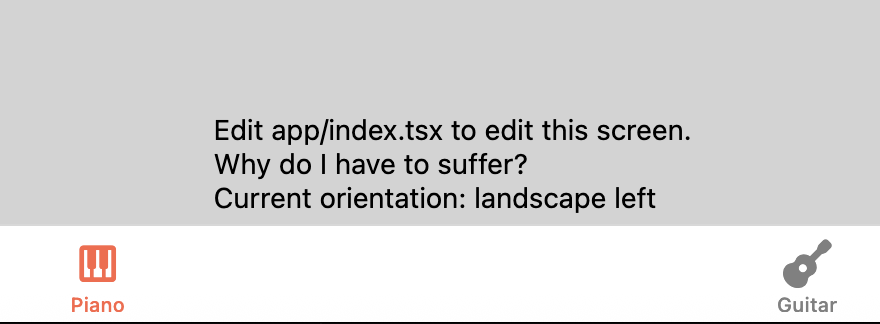
The screenshot above shows that the piano button was pressed and it displays the corresponding instrument page.
I haven’t done a lot of work this week, I also missed the Thursday classes. I was working on my dev Diary a little bit, to complete my past week activities.
Leave a Reply