Blog

  • Year 2 Week 3

    I continued working on my Instrumental project. I decided I’ll add a guitar as my second instrument.

    Before that, I was working on my orientation function. I didn’t have any problems with writing it, but I haven’t tested it before I had my next day classes. I checked the function with my tutor, and it worked perfectly. To know the screen’s orientation, I added the extra feature that displays the current orientation on the bottom of a screen.

    Then I was working on adding a second page to my app, which is a second instrument. I also modyfied the main page and linked them to each other.

    On the bottom of each page, two pressable buttons were created. One for a piano, and a second one for a guitar. I downloaded two icons for each instrument from the React Native main page. They change the colour to red, when they are pressed, and at the same time the page is changed to the relative instrument’s one.

    I haven’t changed any other text on the bottom of the screen, so it displays a random things now.
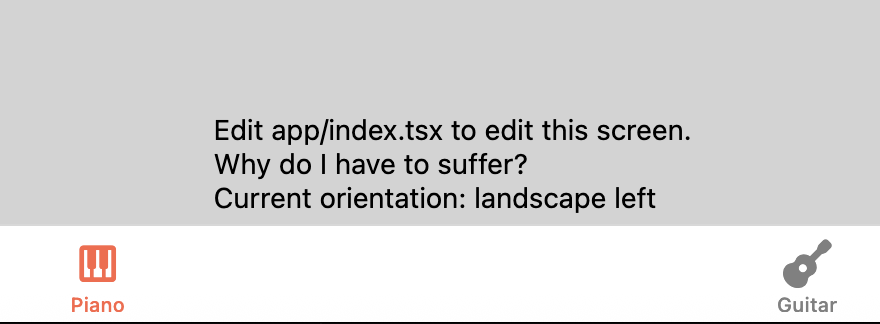
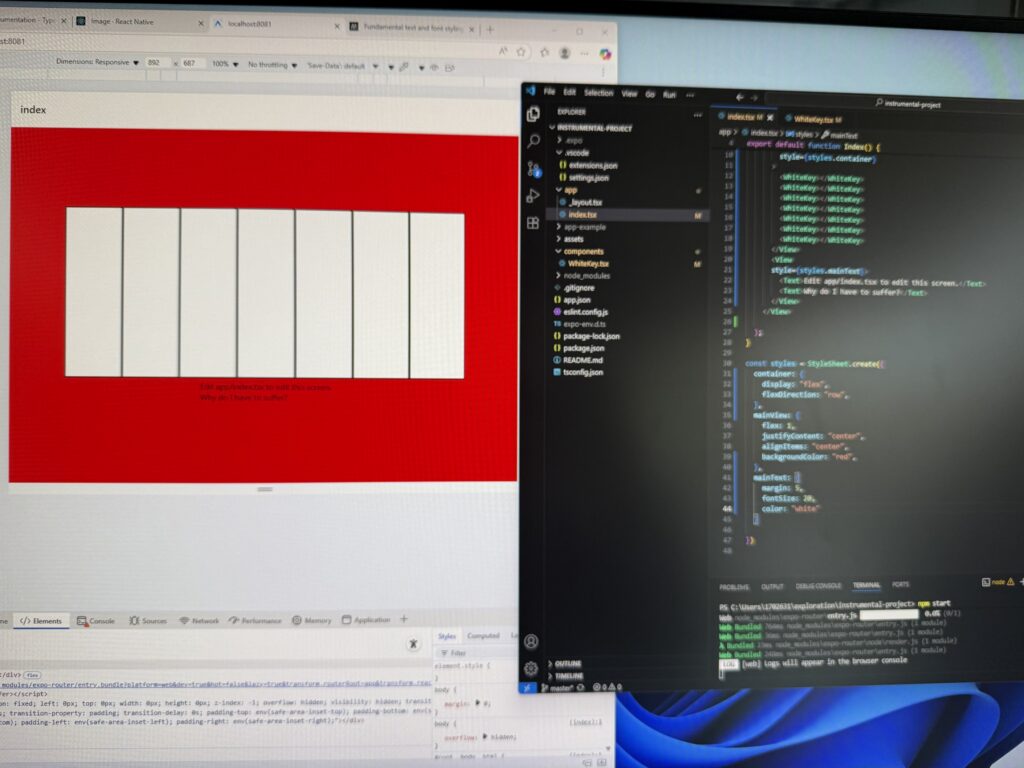
    The screenshot above shows that the piano button was pressed and it displays the corresponding instrument page.

    I haven’t done a lot of work this week, I also missed the Thursday classes. I was working on my dev Diary a little bit, to complete my past week activities.

  • Year 2 Week 2

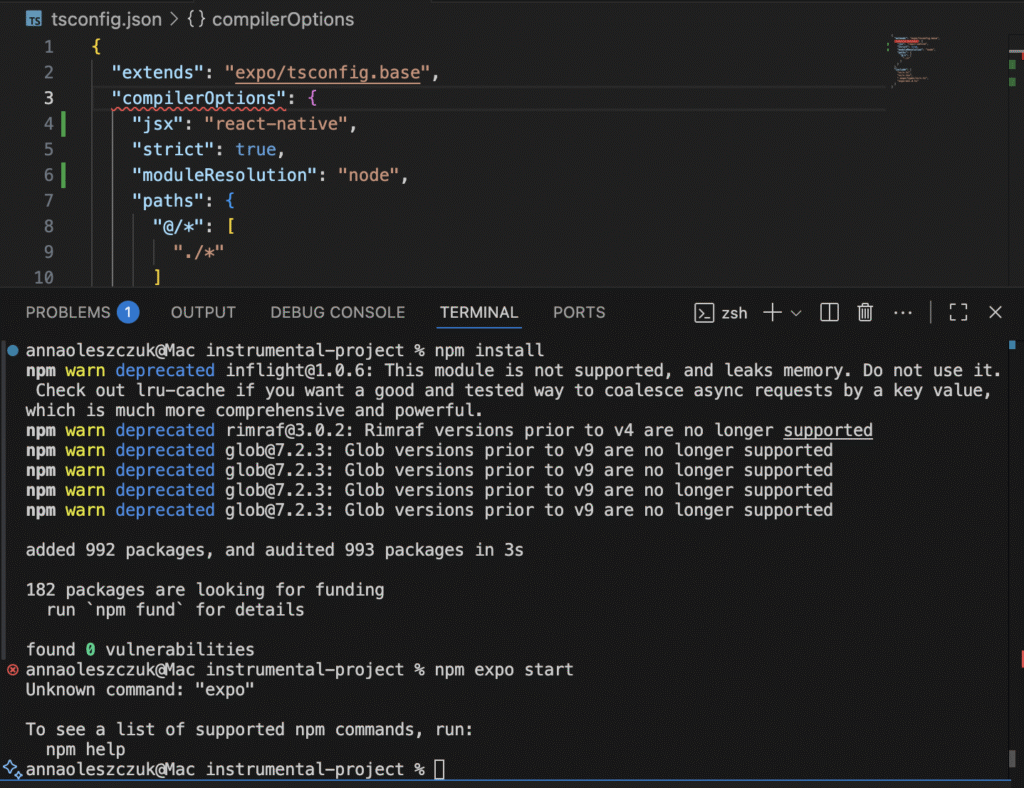
    I decided to use ChatGPT for resloving my problem. I made a screenshoot of the error message and sent it together with a prompt describing the issue.

    It didn’t work well, so I modified the prompt, and added “do a deep research”, and “all search from 2025”. It worked this time, and the output seemed to be correct. I followed these instructions and my problems were resolved.

    This is a part of ChatGPT’s response to my problem. It generated the text together with links to the React Native documentation:

    Why your errors happened (mapping to your screenshot)

    • “Unknown command: ‘expo’” → you ran npm expo start. Use npx expo start. Expo Documentation
    • “Cannot use JSX unless the ‘–jsx’ flag is provided” → tsconfig.json didn’t set jsx: “react-native” or VS Code wasn’t seeing the Expo base config. Fixed in step 2. Expo Documentation

    “File ‘expo/tsconfig.base’ not found” → happens if the expo package isn’t installed or node_modules is missing/corrupt. Step 1 fixes that. Expo Documentation

    Source: ChatGPT

    I told about the error to my tutor, and she said that I made a mistake when tried to run my project on my laptop for the first time because I didn’t run the general npm install to begin with my project. I need to remember abut this command every time when run a React Native project on a new machine.

  • Year 2 Week 1

    Second yeas started with a new PC lab which was located in a different building. We were introduced to our projects and marking criteria. After viewing the course introduction presentation, and no questions from the audience, we were playing a small logic game.

    After that, we had a session about React and React Native. We learnes some basic terminal commands for creating a new project, installing packages, opening it in a web, and simulating different devices’ environment.

    Then, we started working on our first project, which is the instrument app. I was working on one one PC inside the PC lab, so I didn’t need to set up the enviroment for the project, nor download anything. Everything, I needed for the first project was already instaled. I used the terminal to create the Instrumental folder, which will contain all project’s files, then created a GitHub repo for it. I had to download and install some components from the React Native website, and started modyfying the index.tsx file to create a simple display of the main page. Then I tested if everything works, and after a several issues that were resolved, the page was displayed correctly. I saved all changes on GitHub to keep working on my project at home.

    The mp3 sounds for white and black keys were already in the app’s file, so I didn’t need to use external webites to download them.

    I followed the guide from React Native to set up my enviroment at my own device.

    source: https://reactnative.dev/docs/set-up-your-environment

    Whei the whole setup was done, I tried to run my project, but an unexpected error appeared, and it looked like something was missing. I copied the error message and tried to find a solution in the internet. I checked a couple of articles and Stack Overflow, but no luck. I decided to have a break.

  • Week 28 and extras

    We had an extra session about how to write an essay, how to look for resources, and how to make a proper bibliography. It was helpful for me because I wasn’t sure how to start, and what it should look like.

    I started working on my essay. The subject was “Tech for good”, and I mainly focused on writing about how LLM systems and apps helped people with disabilities. I watched a couple of episodes of the YouTube series “The Age of AI”, read some articles, and started making notes based on these resources.

    I wrote the body of the essay first. I was changing it multiple times because I wasn’t happy with it. I also asked my tutor for extra advice, and showed a part of my work to someone else to get their opinions. I was told it looks good, so I continued writing. As I had the extra time, I finished the body of my essay a week later. I added the introduction and conclusion at the very end of the extra week.

    Unfortunately, after my submission, I was informed that I hadn’t submitted it properly. It was saved on the website, but not sent to be checked. I was sure that I sent it properly, but because of stress, I somehow missed it. Previously,y I thought it was the server error on the university’s side, but it looks like I made a mistake. The file was so large that it took me a long time to upload it. I did hit “submit”, but it looks like I haven’t done any steps after it. I had two extra sessions after it. One for talking, and explaining what could possibly happen, and one for general checking, and making sure that everything was finished and submitted properly this time.

    I still have no idea how I could make the sending submission mistake.

  • Week 27

    This week I was trying to complete what was left. I made some changes in my tasks. The Grid task was completelly vanished (by me), and I started it again.

    I spent as much time as possible on reduing this task as well as working on my other tasks. I wasn’t happy about this task at all, but I decided not to change it anymore. The deadline for everything was too close, and the stress about some events in my life was too high.

    The essay had not started yet.

    By the end of the week, I had completed most of my work. I made recordings for my two Arduino tasks. I completed some of my code documentation. I was still highly stressed and unable to properly focus on my work, but I still tried hard.

  • Week 26

    We had a group tutorials this week. I was mainly focused on my Arduino tasks. I finished and tested the code from the first task, everything worked, and I was happy with the final result.

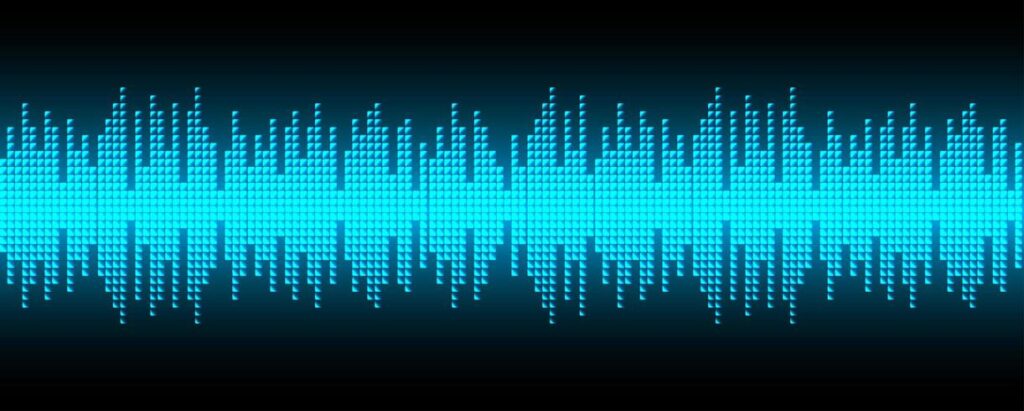
    I started the second task. I had no idea about this small project, so I was looking for some inspiration on the internet. I was thinking about transforming the sound to a wave (pixels) or something similar. I knew that the LCD screen has its limitations, so I wanted to make a simplified version of it.

    When I had my idea, I started looking for some YouTube tutorials, but with no luck. I wanted to create something quite simple, but still a little bit creative. Also, I didn’t have much time left as I needed to write an essay. It hadn’t started yet.

    I was talking with my tutors about the Arduino task idea, and the thing that I can’t find a good, simple tutorial for it. One of them showed me a website with a code, I could modify. I also finally found a good tutorial. By the end of the week, the project was finally completed, and I was happy with it.

  • Week 25

    I still haven’t started the essay, I know, I have to make a start but the procrastination is taking over, and I haven’t choose the subject yet.

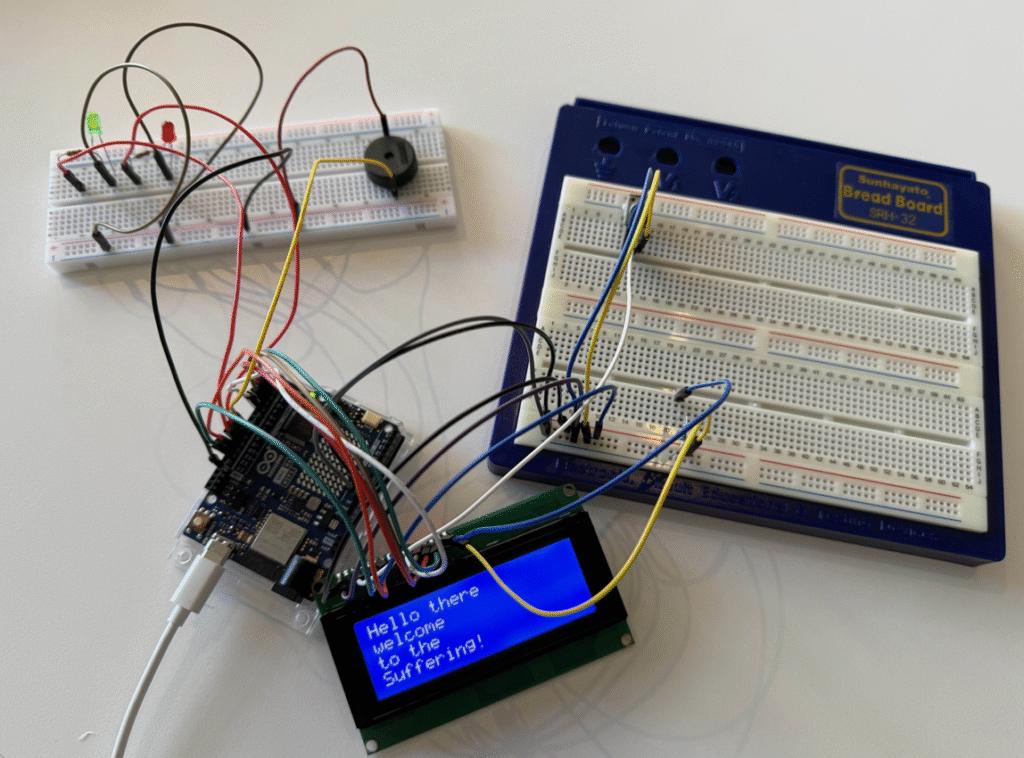
    I was working on Electronics, Light and Sound Arduino task. I had two leds, a buzzer that makes sound, and a small LED screen with a message displayed on it. It seems to work but I still have no proper sound code written.

    On the end of the week and during the Easter break I was working on the buzzer sound. It didn’t match my previous idea but I was happy with the sound.

  • Week 24

    It was the introduction to the research essay as well as continuation of our Arduino projects. I missed the introduction session and I didn’t choose the subject yet. I tried to follow the two Arduino tasks, and complete the ML ones.

    For my ML projects, I started building my own database, as I couldn’t find the one that is small enough but still accurate. I made three categories: Bikes, Buses, and Cars. Around 20 images in each.

    After testing, the model was confused with the background, and some guesses were wrong. As I had much more work to do, I decided to leave it to be resolved later.

    As I missed some sessions, I had to ask one of my tutors for help with the first ML task. I was quite confused about it and didn’t know it is quite simple. After hetting some help, I write, and applied this formula to the project, and it worked. I completed the task quickly.

  • Week 23

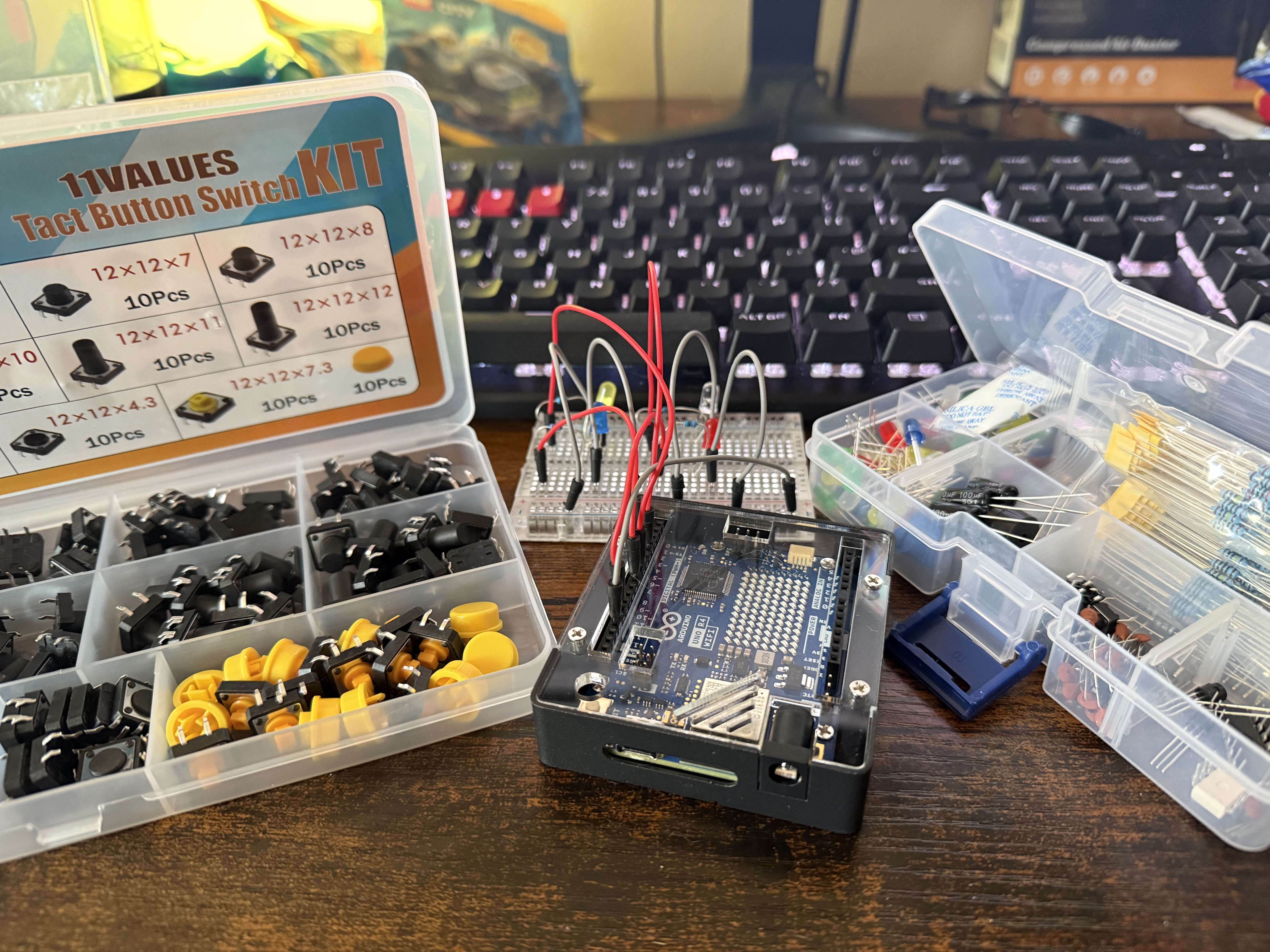
    We were introduced to Arduino. We learned fundamental components, such as wires, breadboards, LEDs, switches, servos and buzzers. We were working on our first circuits which receives input form the physical world, and reacts with electronics and code. We used the Arduino IDE for the coding part.

    There were two tasks to complete: “Electronics, Light and Sound”, and “Interaction with Sensors”.


    After the introduction session, I was playing with Arduino components at home, as I have my own components. I was following a YouTobe video to learn amd memorise some basics.

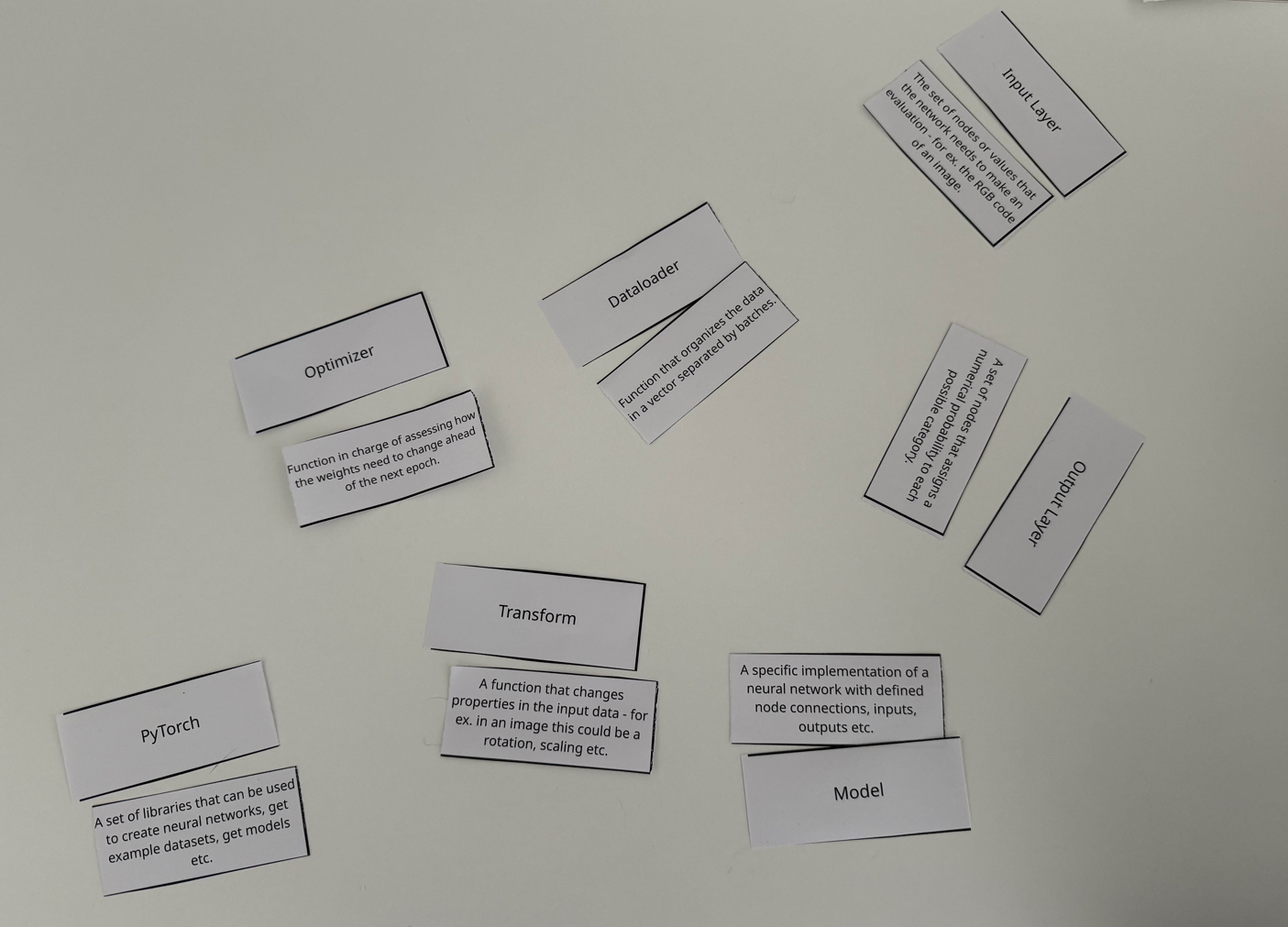
    We also had a little quiz game by the end of the week, where we had to match all Machine Learning terms with their definitions. I was the second one that matched most of them.

  • Week 22

    This week, we started working on our LM project. It was divided into two tasks: the smaller one for calculation, and the bigger one for image recognition. I was working on a second one.

    In my Image recognition task, I used the data, which was already provided by a tutor, and there were three categories: Seats, Trees, and Windows. The model didn’t have any problem recognising these test images from Google. The only problem I had was the wrong image size error. I managed to resolve it myself by modifying the transform function inside my code.

    I didn’t have any errors after making this change.

    At the end of the week, I was told by my tutor to change the dataset. The task stated that we should use our datasets instead of the one provided by the tutor. I started working on it.