Category: Uncategorized

  • Week 6

    We had a lecture with a guest from Laboratory Media Education. It was a presentation about the education centre that helps younger and older students who were excluded from education, for example, some disabled people. Our guest showed us some projects, students made and then we did two music exercises. In the end, I took the leaflet to read about the project because I was thinking about some collaboration but I haven’t contacted them yet.

    I was working on the weather app at the beginning of this week. I created the project’s repository on GitHub. I created all the needed files; index.html, style.css, and script.js, and added some basic code to them. I had a problem with following one session to change the sliders styling so I decided to finish it later in my free time. For some reason, I made my first changes from my private GitHub account but it was pushed to my uni one. I also made a JSON file for fake API calls so I won’t waste my only free 100 calls from the weatherstack API.

    I had a problem with styling my sliders for temperature, wind and humidity but with some tutor’s help, I managed to change their appearance from the default one to something that looks more fancy. I was still unhappy with the result but I managed to make some progress on this project.
  • Week 5

    I started this week with a short individual session about my progress with my Creative Computing course. It was an online session and I couldn’t attend the university on Tuesday. I also did some coursework at home. I updated my Developer’s Journey blog with some information from the last week. I missed the afternoon session as I wasn’t feeling well enough to attend it.

    I like my course and I like to learn new things but sometimes it can be challenging and more difficult to progress with learning new things.

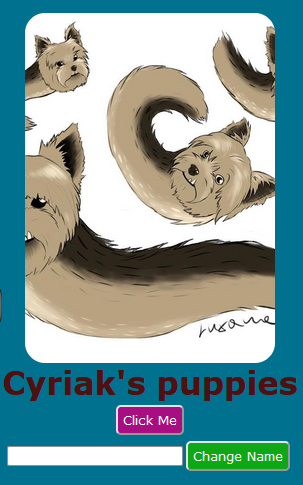
    source: Luxana’s art

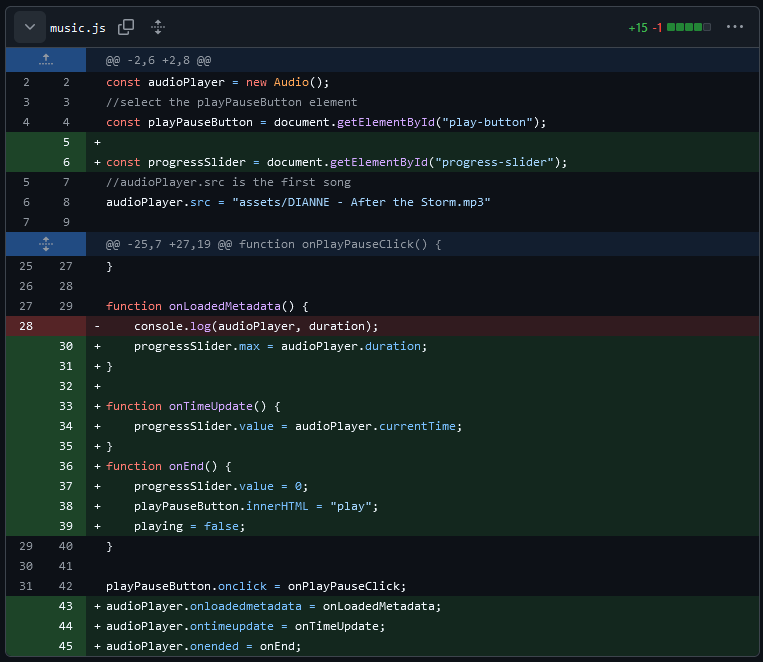
    I haven’t progressed on any of my projects much but I managed to update my music player project a little bit.

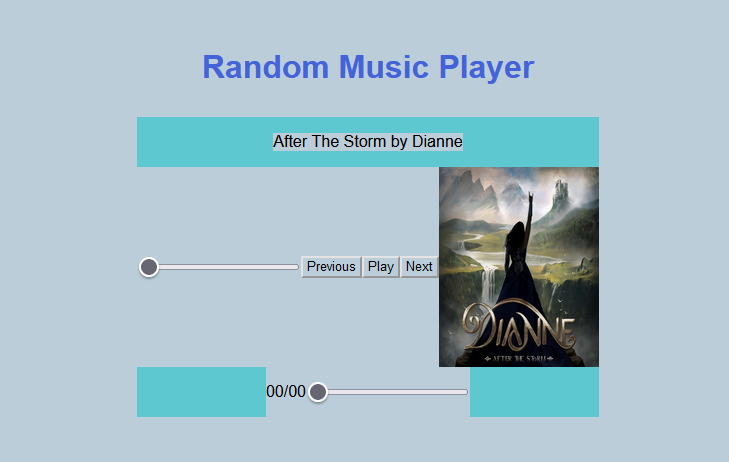
    I changed the input in my HTML

    and created two functions in my JavaScript file.

    As I was working from my old Windows laptop, these changes were added from my private GitHub account. Unfortunately, I forgot to take a screenshot of the finished work.

  • Week 4

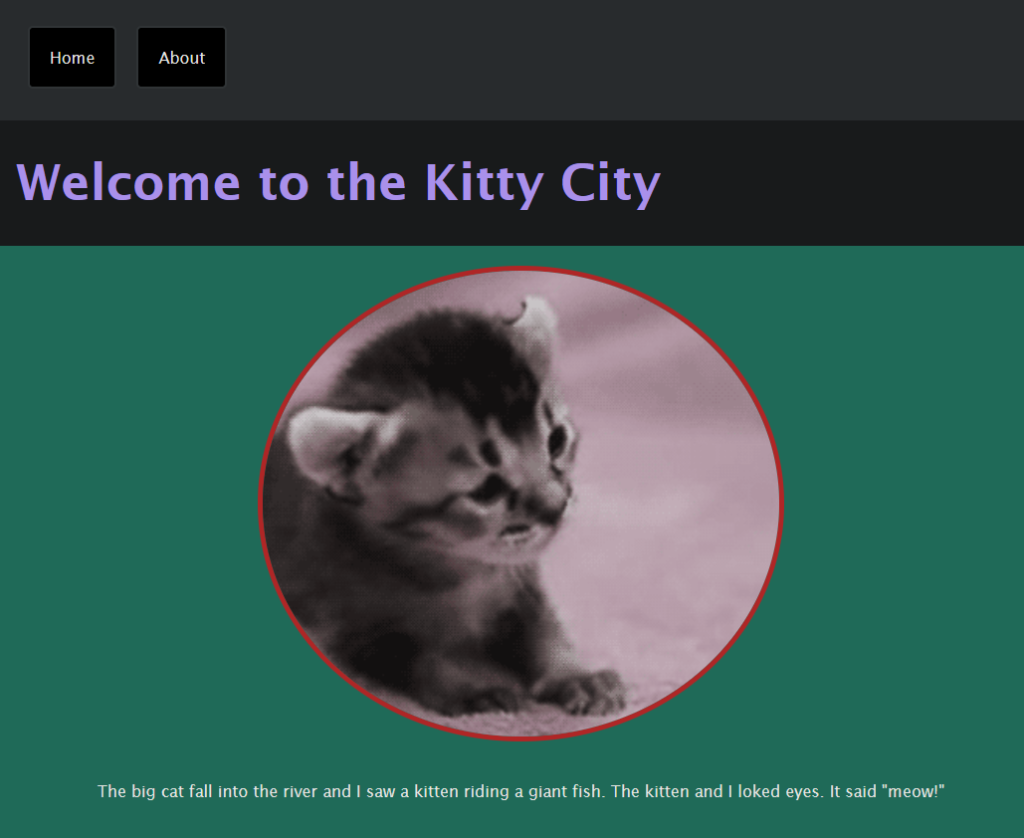
    Week 4 started with more JavaScript. We were working in the JS-INTRO folder which was prepared for us to learn and do more practice with the code. We Added some pictures to the assets folder and added some extra styling to the CSS file. there were three in total; base.css, colour.css and layout.css. I made my pictures’ frames rounded by adding some border-radius to the styling.

    In JavaScript, we created two functional buttons: one for changing an image, and one for changing the name of the picture. Both buttons received nice styling with rounded corners and different colours.

    Before creating buttons, we did set some variables:

    Then, we made a few functions. One for changing an image, the other one for changing the name, and one for dragging and dropping elements on the top of an image. This is, for example, a function that changes images and their names.

    For drag and drop an element, we found a couple of .png pictures with transparent backgrounds, for example, a hat and glasses. They were added to the Assets folder and to a JavaScript function. Drag and drop didn’t work perfectly but it worked.

    I’m not happy with the final styling but I didn’t have time to change it and it was mainly made for learning JavaScript so the styling is not that important for me. To each piece of code, I added notes to remember and to inform (when needed) what each piece does.

    The second small project, which I haven’t finished yet but I enjoyed when we started on it, is a music player. It was created in HTML/CSS with the usability made in JavaScript.

    I started with a basic styling. I created the assets folder for music, which I converted to mp3 by using a website created for it, and a cover folder to put the collection of pictures of cover albums. I started with one song to check whether it was displayed and worked.

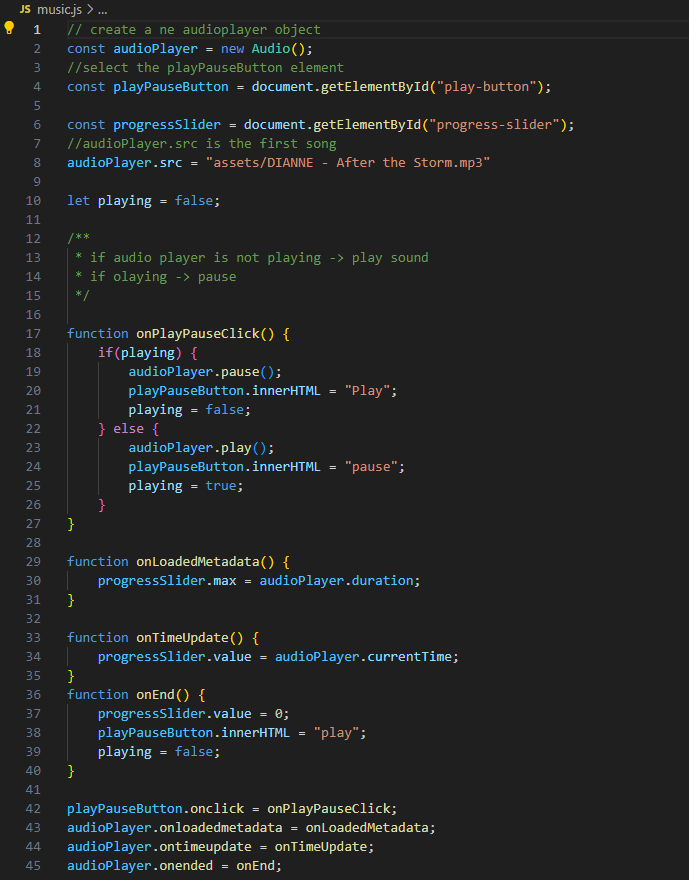
    This is the Javascript, I created so far. It includes a play/pause button and a time slider.

    As I couldn’t attend the last session on Thursday, I didn’t progress on this project and it is unfinished. I’ll try to finish it at the beginning of week 5.

  • Week 2

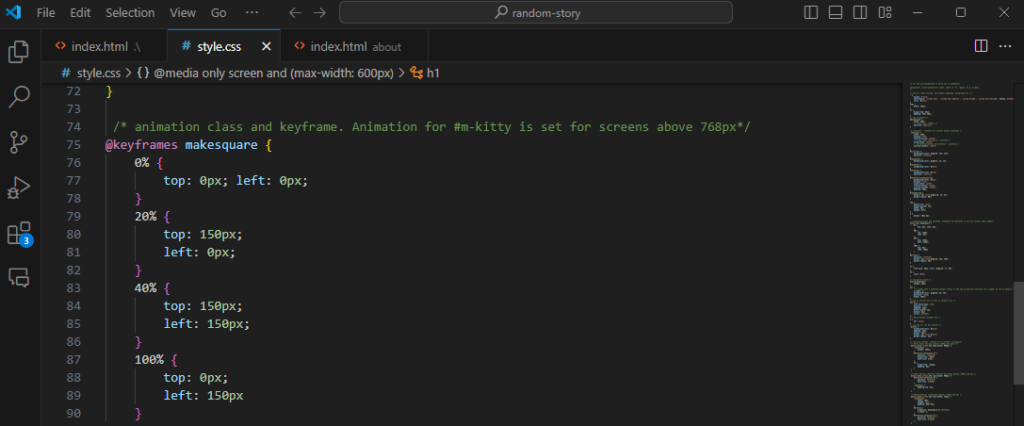
    When we knew the basics of CSS, we started styling our website in the CSS file. We changed the colours, and position of elements and added a navigation bar. I made a couple of elements round as I knew (before) how to do some CSS and I knew how the “border-radius” works in CSS. I was also having some fun changing the colour palette not only inside my project but also randomly changing elements temporarily in the inspector tools on any other websites.

    As we did dive deeper into HTML and CSS, we were working on a second project which was a gallery. Each of us chose a subject. My project was a funny wildlife gallery. I found several images in Google, uploaded them and was working on style. To have a unique font, we imported our favourite fonts from Google’s fonts collection.

    From this project, I gained more understanding of why some styling properties need to be added to a specific styled element. I knew they needed to be there but I wasn’t sure why. All materials provided by tutors helped me with a better understanding of the relation between elements and properties.

    On week 2, we also started with cPanel and installing WordPress into our cPanel server. We learned basics about how to navigate around to log-in or open, add things and edit our blog. We started the Developer Journey blog, where we share what have we learned in the past weeks. Each week start with a new post with information and images attached to it.

    It was a preludium to the basics of WordPres.

  • Week 3

    This week we started with more HTML and CSS. We were updating our projects with new styling, which we have learned recently. I was working on styling my Gallery project to become mobile-first.

    I decided to change my gallery’s elements and replaced them with photos from the Comedy Wildlife Photography Awards website. Each photograph was the overall winner and an extra one from a different category from 2021, 2022 and 2023. There were 6 in total. I added a description and a link to an official website which I styled as a button.

    I decided to change my gallery’s elements and replaced them with photos from the Comedy Wildlife Photography Awards website.

    Each photograph was the overall winner and an extra one from a different category from 2021, 2022 and 2023. There were 6 in total. I added a description and a link to an official website which I styled as a button.

    JavaScript basics. We followed some instructions to build a button that changes an image on a click. Some of the files were already made. We had to add some images and JavaScript code. In HTML, I added a file path to a .js file and added some styling to a page.

    We started with the basics of basic JS. Some variables were set up.

    A simple function was made to check whether the button works and is clickable. We added the counter to the button to check how many times it was clicked. I made a record…

    When we did that and sow, the button work, we added some images and in a code, they were displayed above our button, and one by one was shown on a click. The counter was removed.

    This is how the final function looks like

    We were also working on our WordPress. We learned about themes and how to customize them. I wanted to have a darker background and white text. I liked my idea until…

    …This happened. The default background in the editor is also white.

    And I have to change the colour palette or just keep changing the background in the “inspector tools”. I’ll try to make more changes on Week 4 after a weekend break from doing things. After a week, I discovered, that the original background of the page had a conflict with my Dark Background plugin. After disabling it, everything is back to normal.

  • Week 1

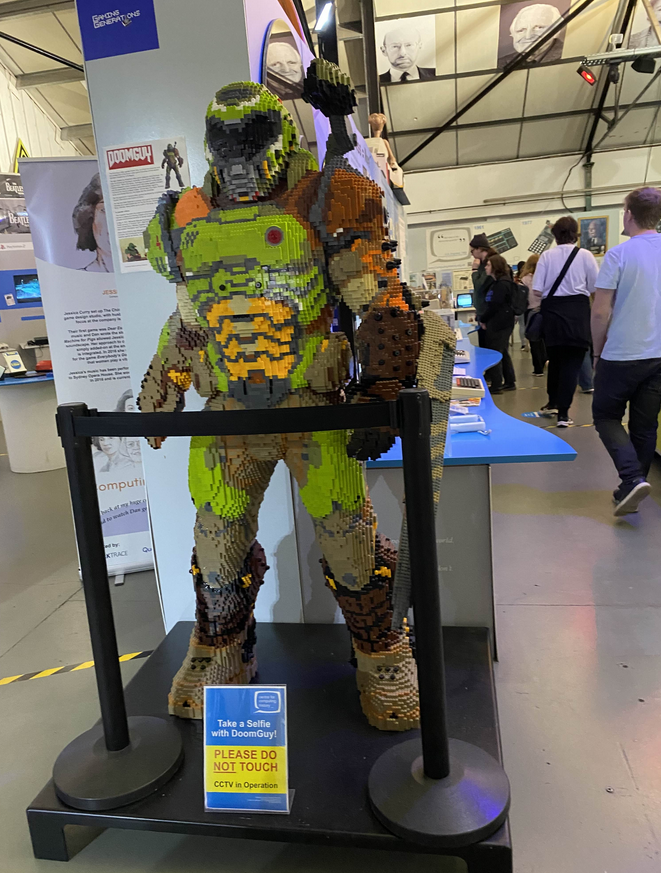
    The first week started with some basic understanding of what we will learn during this course. We started with a trip to Cambridge to visit the Computer Centre and a museum (forgot the name). We had a few workshops; the VR and the basics of website development.

    During the VR workshop, we learned about a 3D drawing in an app called OpenBrush. Some of us never used VR headsets before so we also learned the basics of navigating in Virtual Reality. In groups, we had to think about a utopian place, make some design and then draw it in VR. Our group designed an abandoned garden, that is slightly related to the book “Secret Garden”. Each group member added something to our garden. My favourite part, I added, was transparent cristal kittens. One of our group members added a story to them saying that all kittens were alive but they turned into a cristal and no one knows why.

    Before we did any VR basics I had a bit aversion to it, I thought I won’t like it but everything turned into 180 degrees and I ended up buying the VR headset and doing more drawing during weekend. I used the same, OpenBrush app. I was still drawing using the basics tools but I think, I wanna use the advanced tools in the nearby future.

    The other workshop was the basics of HTML and CSS. First, we learned about GitHub, we set up our students’ accounts on the website, then we started our first project and every large change, we were making, was saved on our GitHub via GitHub Desktop. When we started with HTML, the very first styling was made inside the HTML file. We learned about CSS later.

    I did enjoy the HTML and CSS classes, I knew some of the basics before and these sessions were a “refresher” for what I learned a few years ago.