This week, we started with Machine Learning. We were introduced to the vocabulary, such as tensors, neural networks, layers and classification. We were introduced to Pytorch, and Google’s Colab research website, where we can import and write code to test our tiny Neural Networks with image recognition.
The subject was new for some of us, I was familiar with it already, but never done a practical part before. Likely, it wasn’t difficult, and I didn’t need much help with the task.
When the image recognition part was successful, we wrote a small calculation program. As I didn’t attend all sessions, I did a part of the learning at home.
We were also introduced to the Industry Folder task. In this task, we needed to find at least three job offers, write about these jobs, employers (companies), our skills, and why we would like to apply for these work positions. I made a start on this task. I found my very first potential employer, which was Aviva, with their job offer as an AI developer.
The last week was an interchange week, I didn’t attend any classes as I couldn’t find anything inyeresting. Everything, that I could be potentially interested in, was already full.
This week I spent mainly on adding some extra small items to my VR room project and final testing. It is still a little bit buggy, but I couldn’t find more time and motivation to make it perfect.
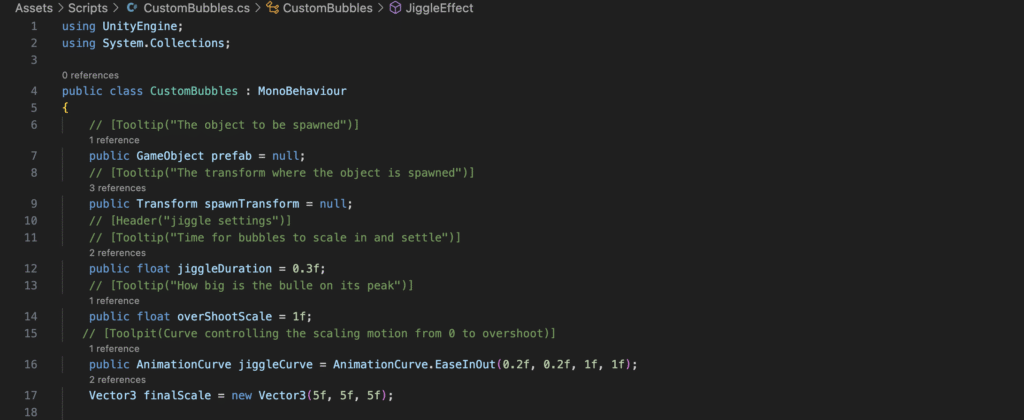
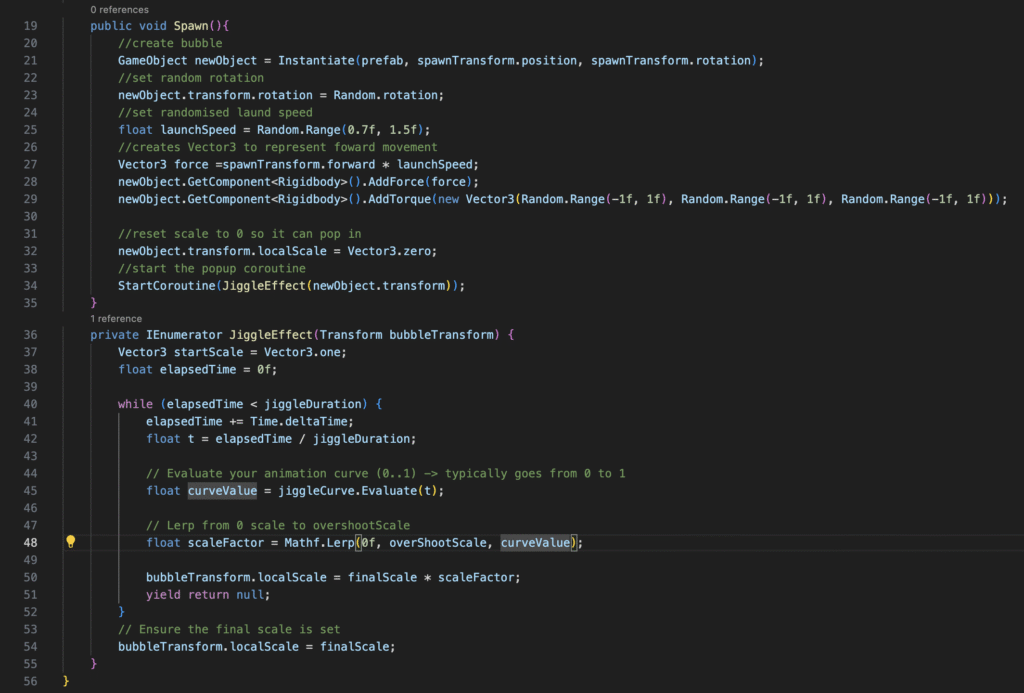
I was trying to write a code in C# to add a popup mechanics to my bubbles. I needed some help from my tutor as the code didn’t work as expected; bubbles were buggy, they were, shaking, not poping up, and when I was dropping the bubble maker, it was disappearing under the room’s floor. It was the hitbox issue that needed to be resolved.
I asked for help with my code as I didn’t know why I can’t make it work as intended. Some issues were simpler to resolve (than I thought before), I needed to change a couple of values. I was working on resolving issues together with my tutor, and we manage to resolve all of them. The code now works.
I did continue work on my VR room project. We had a Blender tutorial with Hanna. I didn’t have a problem with using the program’s UI because it was similar to Maya’s but I didn’t like the sculpting tools. I created a 3D plant in a pot but unfortunatelly, I lost the project and didn’t save any screenshots.
In one tutorial, we added a new item to our VR room project, it was a bubble loop. I decided that I want to write a code that spawns juggle bubbles, shoot them forward, and make the pop up animation. I tried to write the whole code on my own, but still had some problem with mechanisc.
I spent long hours trying to resolve it, but it looks like I’ll need extra help with my code.
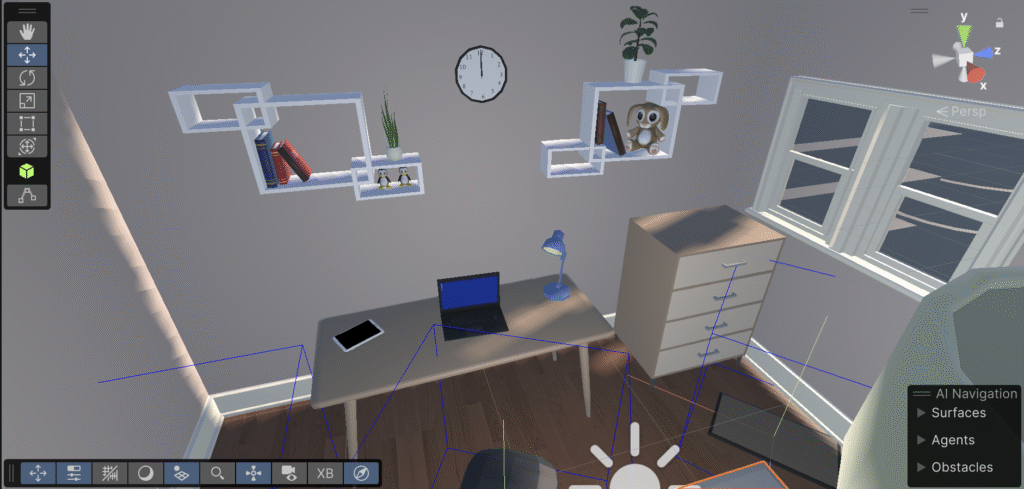
After learning basics of Unity engine, we started working on our first project – VR room. We were following the “Create with VR” tutorial on the official Unity website, and we were making our room while following every step of the tutorial.
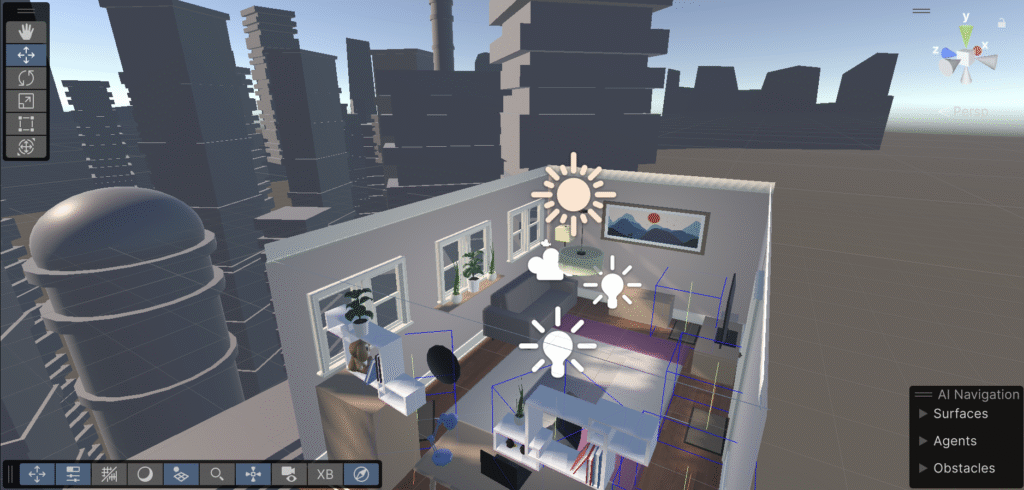
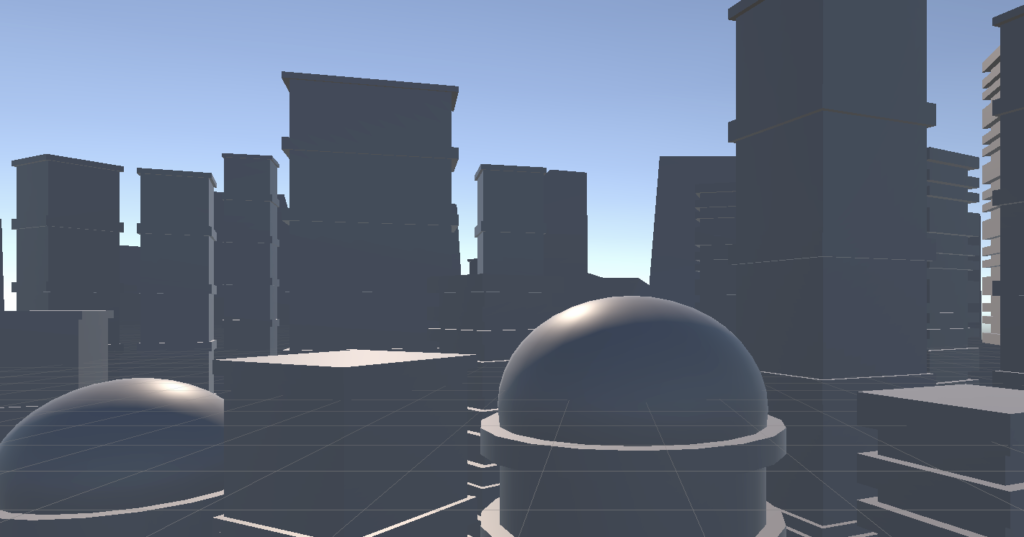
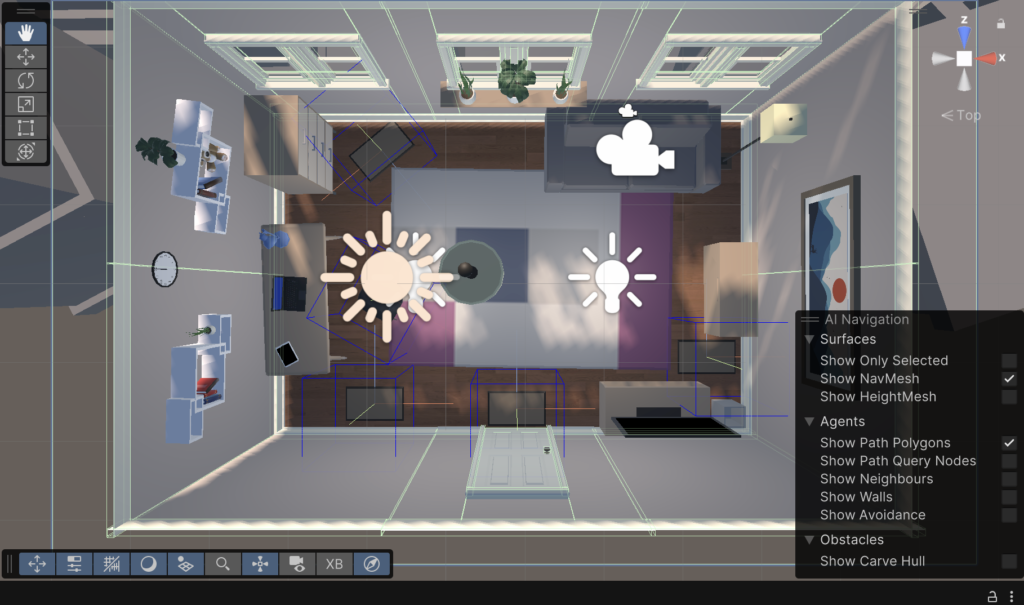
When following the tutorial, I downloaded all files that were attached to the tutorial. It was a pack of various 3D objects and textures. In Unity I selected my preferable room, and background city buildings to fill the empty area outside the room. I had to place everything in order to avoid any elements on the top of the others when it’s not necessary.
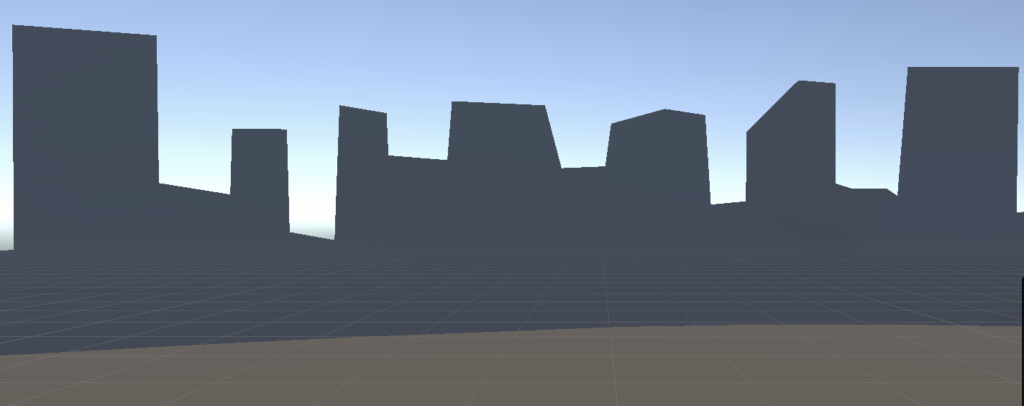
As a background, I added both 3D city’s buildings and 2D background to fill the space outise the room.
I also downloaded some assets from the Asset Store, and added them to my room.
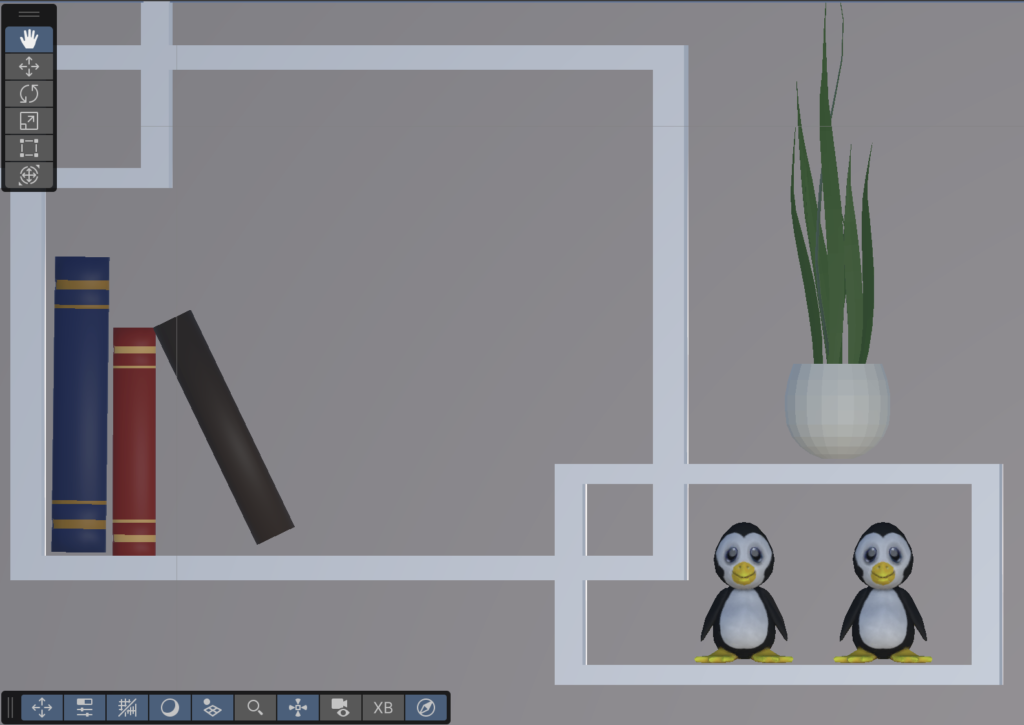
I downloaded some assets from the Unity assets store for free. I uploaded them, and placed them inside my room. Here’s the example of two penguin toys on a shelf.
We were learning about C# classes and basics of Unity. Inside a Scripts folder, we made different files for each class. We named each class after it’s type.
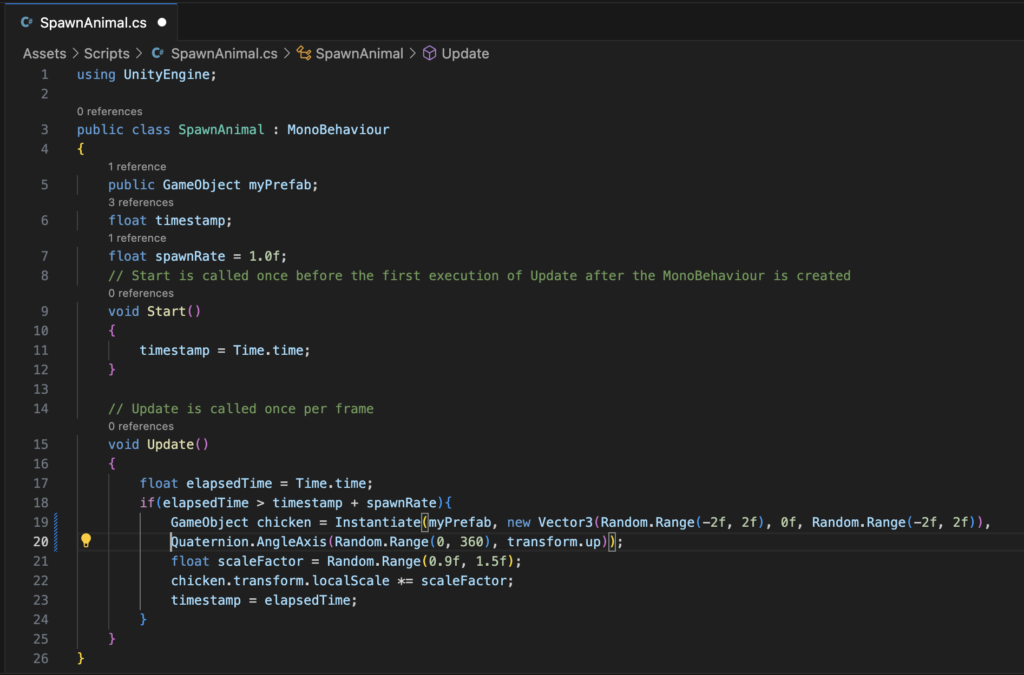
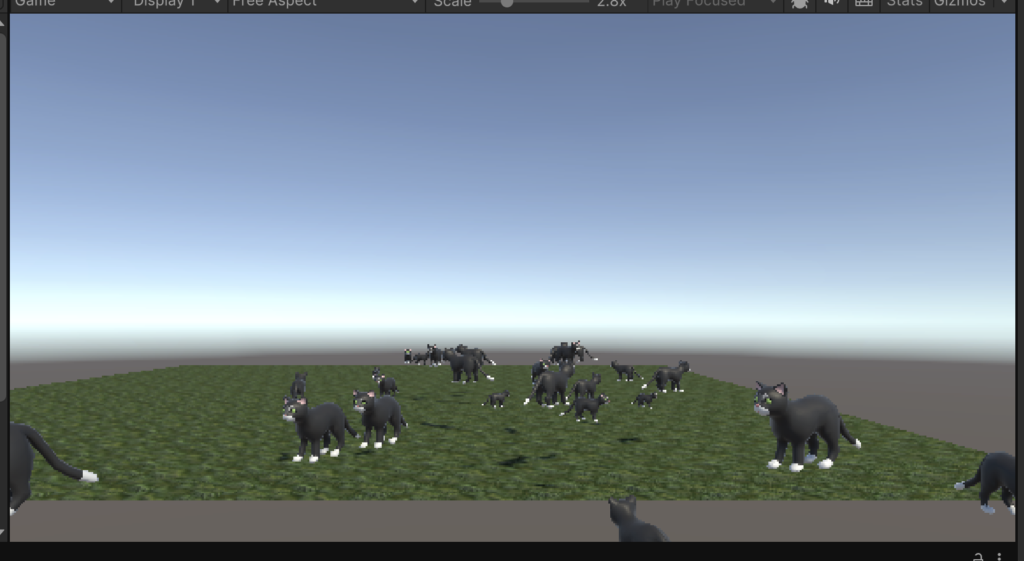
One of my classes was for spawning animals every second. In Unity, I created a flat square and applied a simple grass texture on it. I found a free texture on the Unity website. I also found an animal pack there. I imported them to my project files in Unity engine. From animal pack, I decided to use a cat as the animal I want to spawn.
The code below shows how the SpawnAnimal is executed.
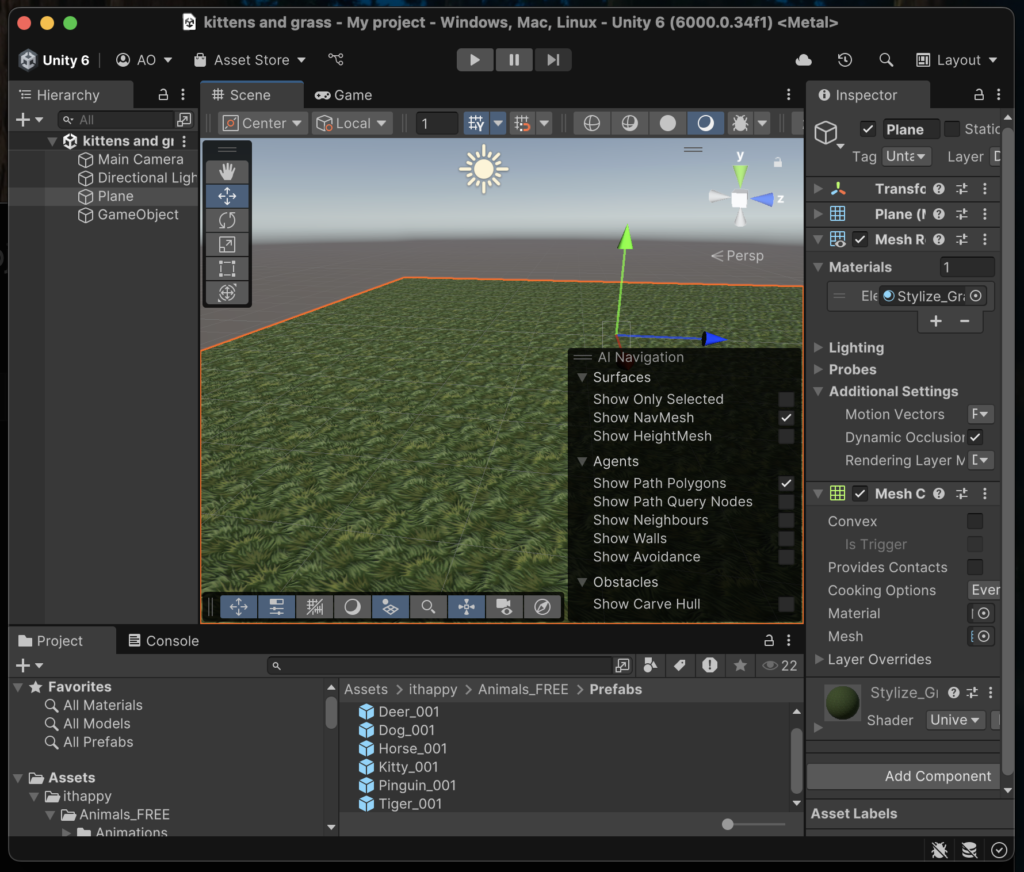
The screenshot shows the grass texture already applied to the flat surface. When I press “play” (middle top), the code start execute.
One cat is spawned per frame. There’s a bunch of cats already spawned. It happens infinitly untill I stop the code from further execution.
After the Banking Hall Project, in our groups, we were making a presentation in PowerPoint. We were writing about our work progress during last week and what we learned from it. The name of the presentation was “2D ALGORITHMIC ART GROUP TASK: VISUALISING ENVIRONMENTAL CHANGE”.
As I work well in a quiet environment, I did my part of the presentation at home. Before it, I asked my group if everyone is all roght with it and brefly discused with them my part of work.
The link to our presentation was sent to my email and I completed my work just a couple minutes after the last session on Tuesday.
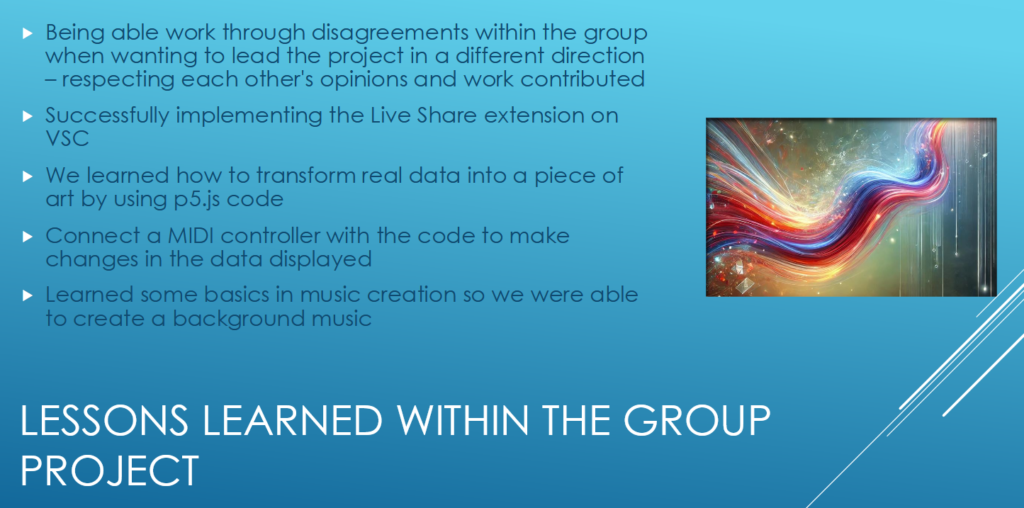
The slide below show our learned lessons:
Thursday was the presentation day. I wasn’t able to attend because I’m not able to make any public speech, even in small groups. I skipped the session.
After Christmas break, we sterted working with 2D algorythmic art. We were divided into small groups and each of group had to use the existing data to turn it into an visualization art.
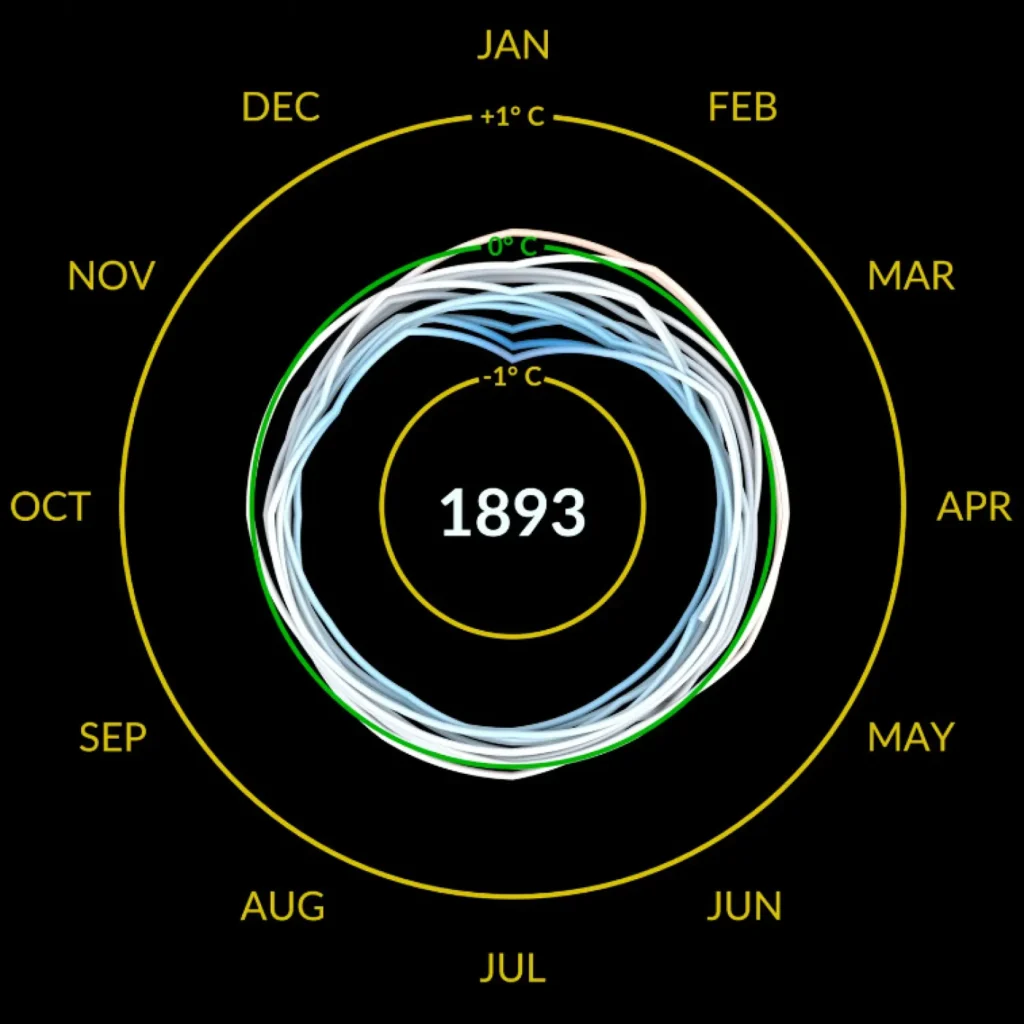
We used the Nasa’s Global Temperature Data as the base for our project.
We spent three days in total on our work.
The code, we created, was written mainly in p5.js. Inside the code, we built four arrays dor each decade, and another array for months. I was absent on Monday so someone else wrote most of the code. When I came on Tuesday, there were three people already in my group. Everyone did set their role. I was about to help with the code mainly but I ended up giving ideas and slightly touched the code because of anxiety of breaking something.
Working in a group was challenging for me, my general anxiety took over me, and I had a problem to focus on the project. My group noticed that, and tried to encourage me, it helped but I was feeling quite useless because I couldn’t put my 100% in the project that I should enjoy.
Adding interactivity and assigning sliders, knobs and buttons to make animation, colour and date changes, rotate clockwise and vice versa was fun for me and the rest of my group. I was making suggestions, and everyone else agreed or had different ideas. I didn’t feel useless.
Music was created a day before the show day. Three of us decided to try to work on the music part, one stayed with the code. It was the time, I enjoyed the most. We were playing with a keyboard, sliders, and music maker software. Each of us had a role, for example, I was using a keyboard and some sliders. Each of us created a part of our background music but something was missing. We were not fully satisfied with what we created. Then one of us had an idea to copy the whole path, reverse it and merge it with the base soundtrack. It did work and everyone was happy. By the end of the day, we tested everything.
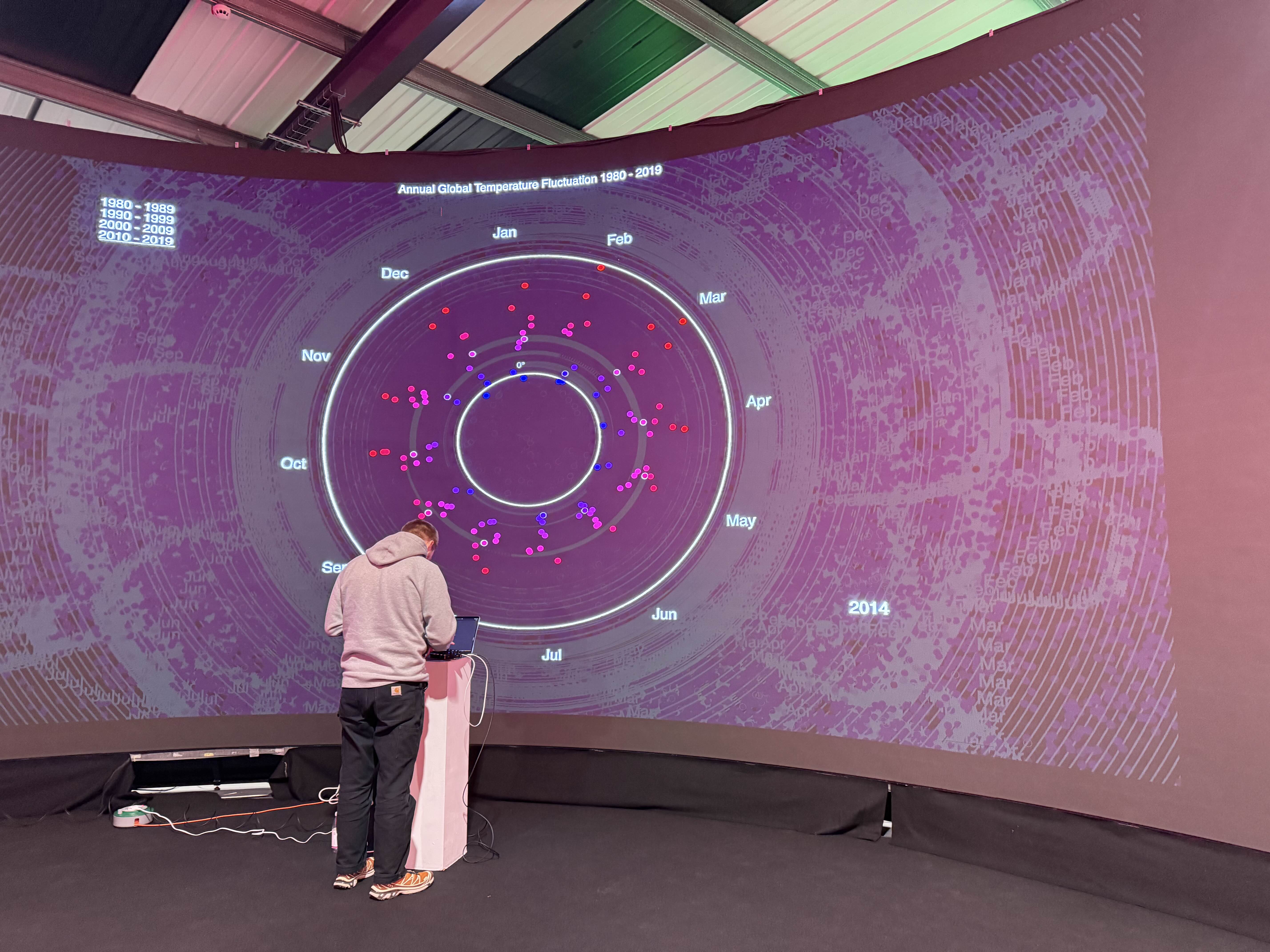
On Friday morning we went to a different building, where four big screens were already installed. We were preparing for the 2025 Banking Hall/Havers Rd project which started in the same afternoon.
Every student could invite someone (family members or friends) to come and see our work. I didn’t ask anyone to come. I didn’t plan to stay till the end as well but I changed my decision as I had a lot of fun. The only disadvantage was that I couldn’t show it to anyone and tell about my course.
We started this week with a new tutorial about generating visual grid patterns using the p5.js library. We created two different approaches to make grid-based artwork. The purpose was to experiment with randomness in grid layouts and demonstrate the creative possibilities of coding with various shapes.
We created our repository in GitHub and made folders and files. In the sketch.js file, we used global constants; an array of possible sizes of grid cells and their values, and another array for three different colours. Then, we a code which was the inspiration for Piet Mondrian’s art.
This is the final code that generates it:
The output:
We also made a simple grid code and added it to our little project. Piet Mondrian’s art generation code was commented out. For this one, we added a new constant which is an array of angle values, which are fractions of π.
The output:
Both codes demonstrate how randomness and creative experimentation can be used to produce distinct visual effects in grid-based compositions.
Later in the week, we started working on our projects. I wrote a code that displays a grid canvas where the user can “draw” by hovering over cells on the grid, and each cell changes its colour to shades of grey from black to white.
The output:
The project is not completed as I didn’t add the option to draw on click and it draws on every cell I hover over.
I did continue working on it on Week 12. My Tutor helped me with some of the code when I was stuck. After all, I think, I enjoyed transforming lines of code into an art and I can’t wait for my next projects.
This week was my extended week to submit all my tasks. I’ve done a lot of writing work as I did only the project part (HTML, CSS, JavaScript and fake API call for getting a data for my last project). My main “enemy” was procrastination, motivation was an ally but wasn’t nowhere to be seen.
On Monday, I had a meeting with the Student Support tutor, who helped me with writing Reflective Learning Summary. I spent more than an hour on this task and I was happy with the results.
By This week was my extended week to submit all my tasks. I’ve done a lot of writing work as I did only the project part (HTML, CSS, JavaScript and fake API call for getting data for my last project). My main “enemy” was procrastination, motivation was an ally but wasn’t nowhere to be seen.
On Monday, I had a meeting with the Student Support tutor, who helped me with writing a Reflective Learning Summary. I spent more than an hour on this task and I was happy with the results.
By the end of the week, I finished more than half of my university tasks. I was unable to complete everything before the deadline but I uploaded my unfinished work anyway. I felt guilty because I thought I didn’t push myself hard enough and wouldn’t get a good grade for my work.
After submitting everything, I had two weeks off. The first week was an interchange week but I didn’t try any tutorials. I was interested in 3D modeling one but I was too late to sign in to this one. By the end of the second, week 10, I got my grade results and feedback. It wasn’t bad but I was afraid that I failed because of unfinished work. Ultimately, I was happy because it showed that I could be good at things and possibly reach for more. It helped with my self-confidence a lot.